Before you plan to flash project elixir (or any other custom ROM) in Redmi Note 9 Pro or the 10 Pro, your device bootloader needs to be unlocked and you also need a custom recovery in your phone.
You can watch these 2 videos if you are starting from the scratch.
[Video] Unlocking bootloader in any Xiaomi device
[Video] Flash a custom recovery (OrangeFox in Redmi Note 9 Pro or TWRP in Redmi Note 10 Pro)
After you have unlocked your device bootloader and installed a custom recovery, you can follow the steps mentioned below.
Installation Guide For Miatoll (Redmi Note 9 Pro)
1. Use orangefox fbev1 recovery (check the download link below)
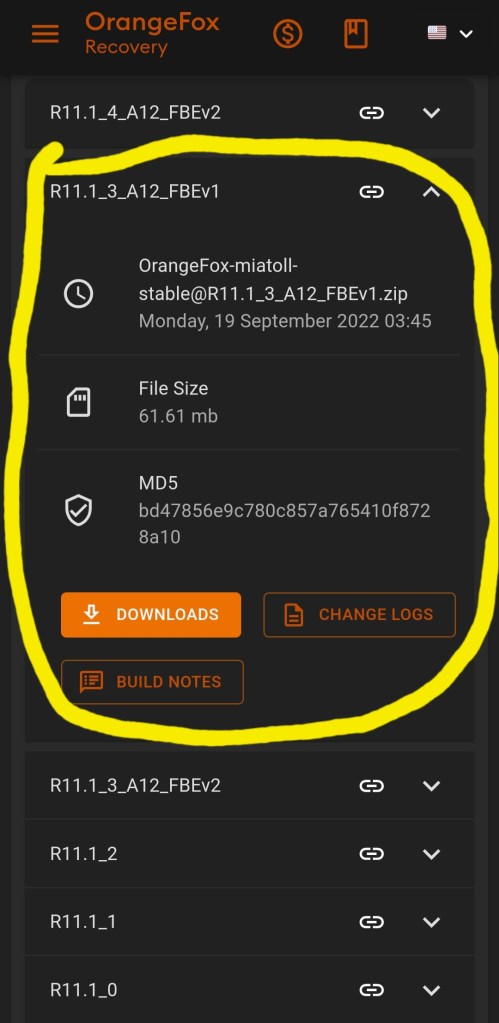
2. Format data (by typing yes)
How to Format Data?
Menu > Manage Partitions > Data > Format Data > Type “yes”
3. Flash latest stable Global Firmware
4. Flash rom
5. Reboot to system
Important Links (Click the buttons below)
Installation Guide For Sweet (Redmi Note 10 Pro)
1. Use the latest twrp
2. Flash the ROM
3. Flash GApps (only for Vanilla builds)
4. Format Data (by typing yes)
How to format data?
Wipe > Format Data > Type “yes” & enter
Download Links (Click the buttons below)
If you enjoy my work, do consider subscribing to my YouTube channel by clicking the button below.
 TechDoc Blog
Leave a comment